Josh (Head of Product) and Kether (Head of Development) sat down to talk through some of the latest Trendspek updates, what’s coming next, and where things are heading through the second half of 2026.
Conditional Fields
We’ve had templates for inspection workflows in Trendspek for a while now. However, one piece of feedback that kept coming up was that templates could get messy pretty quickly when working across multi-asset or material types.
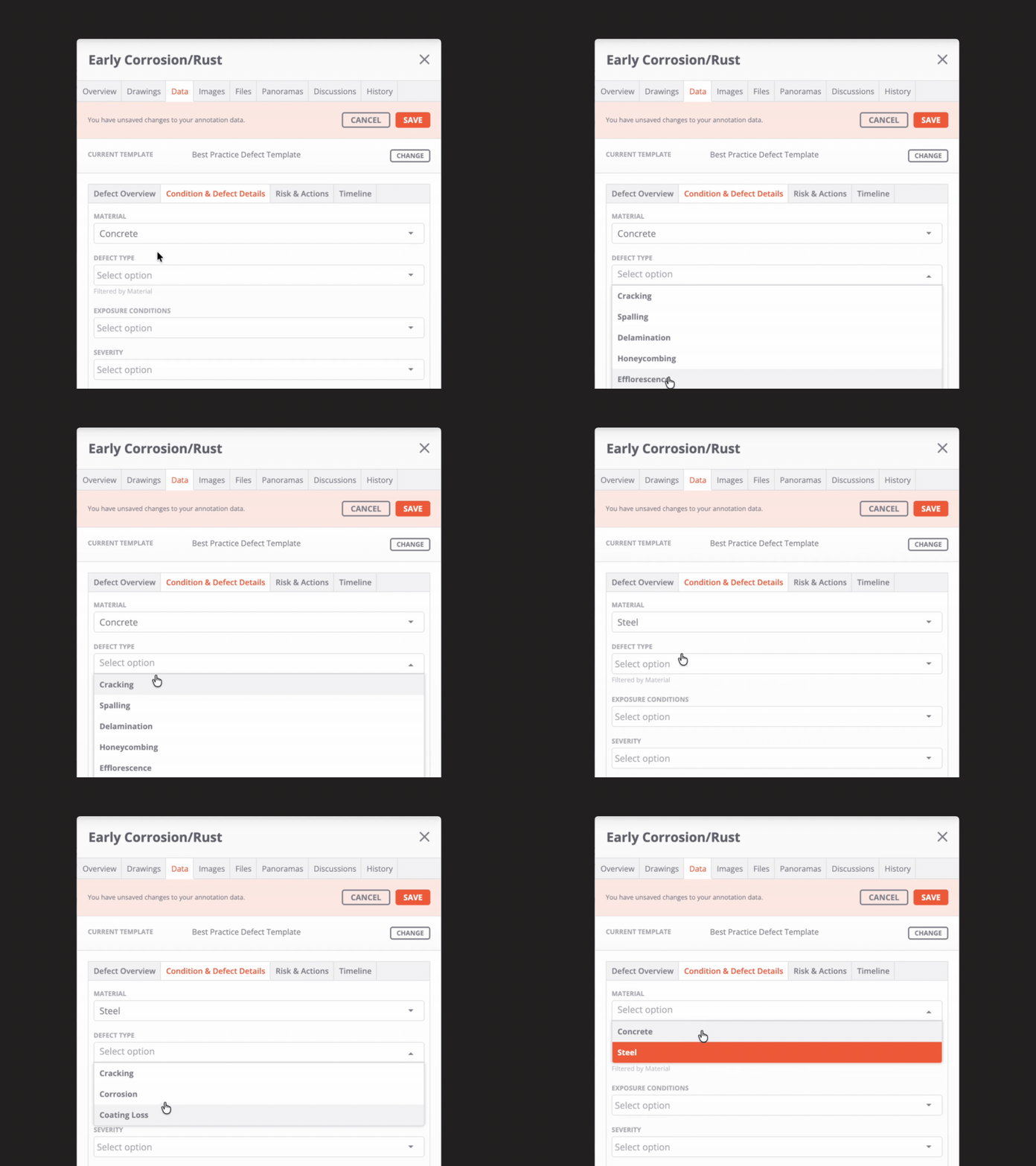
A defect workflow for concrete looks completely different to one for steel. But until now, you had to work through every possible field, even if half of them weren’t relevant to what you’re looking at.
Conditional fields fix that.
Now, fields can appear or disappear based on previous selections inside the template itself.
So if you select concrete as the material type, you’ll only see concrete-related defect options from that point onwards.
It may sound small, but on larger inspection programs it makes templates much faster to navigate, reduces data entry errors and speeds up logging defects during an inspection.
Gaussian Splat support

Reality capture keeps moving quickly, and Gaussian Splats are starting to show up more often in customer workflows, particularly for fast site captures and intricate visualisation.
So we added support for them.
If you’re generating Gaussian Splats through tools like XGRIDS or other compatible workflows, you can now export them as .ply files and upload them directly into Trendspek.
Inside the platform, Splats behave similarly to other Layers, so teams can navigate and review them alongside existing inspection and asset data.
Please note: at the time of this article, we have partial support available for Splats. Full support will be available in the coming weeks alongside the launch of the new multi-panel Inspect page.
External API
A big focus for us is making Trendspek easier to connect with the systems teams already use every day.
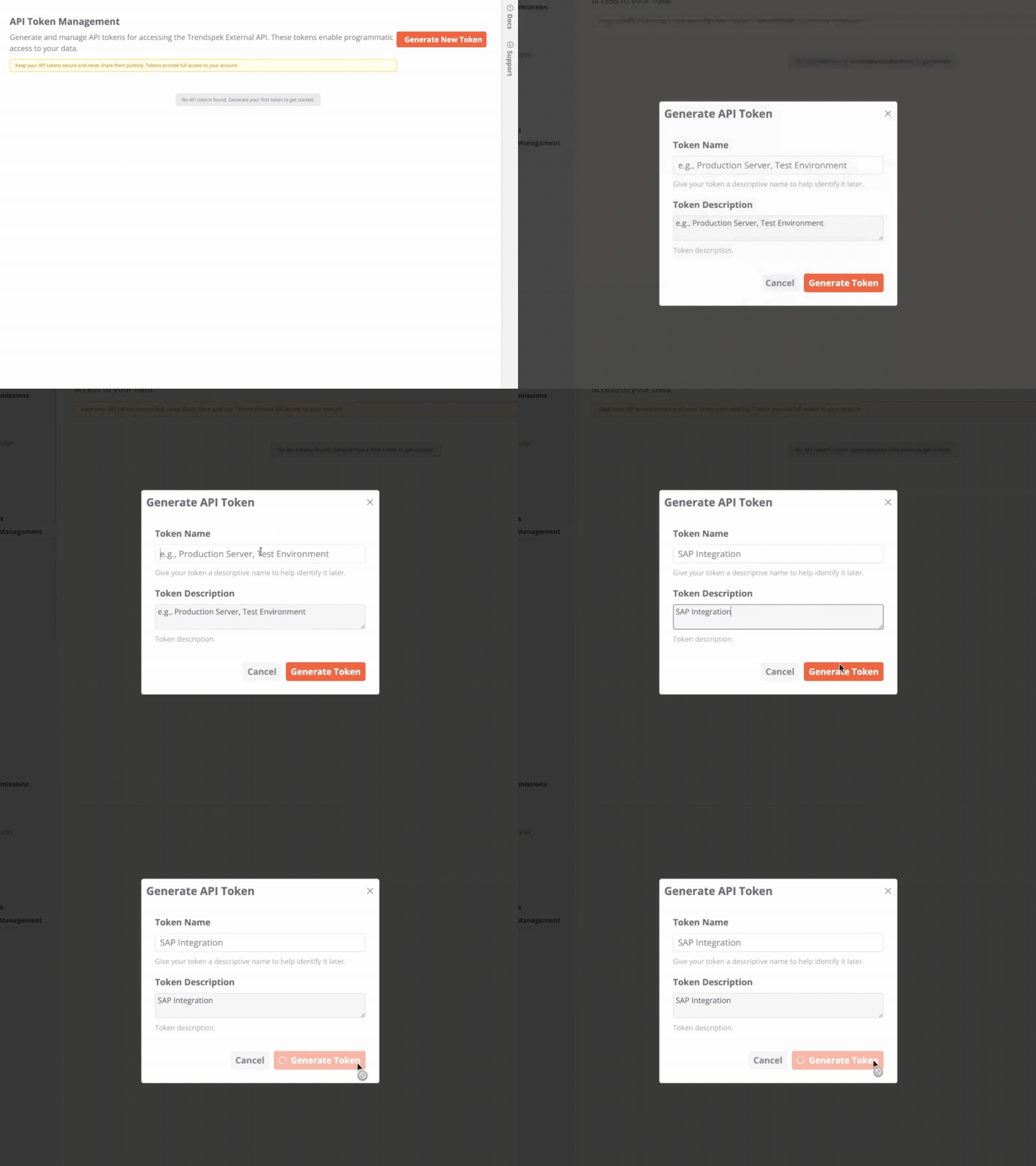
A few weeks ago, we released our External API, which allows customers to integrate Trendspek more directly into their existing operational and asset management workflows.
The API supports both read and write access across core data types, including annotations, templates, uploads, and photos.
In practice, this opens up a pretty wide range of use cases. You can now do things like:
- Sync annotations with external asset management systems (like SAP or Maximo)
- Push IoT or sensor data into inspection workflows
- Programmatically create or update annotations
- Automate template and workflow management
A lot of teams already have established systems for maintenance, GIS, defects, or operations data. The API makes it much easier to connect those workflows directly into Trendspek instead of manually moving information between disconnected systems.
If you’re ready to start building, you can find the documentation here.
Please note: the API is only available on certain plans and as an add-on module, reach out to your Account Manager for more information.
Releasing soon
01_New Inspect page
The new Inspect experience is one of the larger changes coming to Trendspek this year.
A big focus of the redesign has been reducing the amount of context switching required when reviewing inspections, comparing annotations, and navigating large models.
The updated layout is multi-panel and allows teams to keep more information visible at the same time, instead of constantly opening and closing separate views while navigating a model.
Under the hood, the new Inspect page also performs significantly better when working with larger datasets and more complex models.
02_Projects
One of the releases we’re most excited about is Projects.
Projects stemmed from a pretty common problem: a customer wants to send a contractor out to remediate a specific asset or defect set, but the contractor doesn’t actually need visibility across the entire facility.
Until now, sharing just that information was harder than it should’ve been.
Projects allows teams to package up a smaller, focused subset of an asset, including only the relevant layers and annotations, then share that directly with external stakeholders.
So instead of giving five contractors access to an entire plant during a tender process, you can give them access to just the remediation scope they’re pricing against.
03_BIM integration
As part of the new Inspect experience, annotations will be bound directly to BIM elements during creation.
Traditionally, inspection information and BIM data tend to live in completely separate systems, which makes navigating between condition data and asset information harder than it needs to be.
With BIM integration, teams will be able to:
- Filter and highlight BIM components
- Search for specific components within large models
- View embedded BIM metadata alongside inspection workflows
Thanks to everyone who’s continued sharing feedback with the team along the way, everything that’s coming next has been directly shaped by how customers are using Trendspek.
Questions about any of the updates mentioned above?
Reach out to Sue and the team at support@trendspek.com.